Notification list
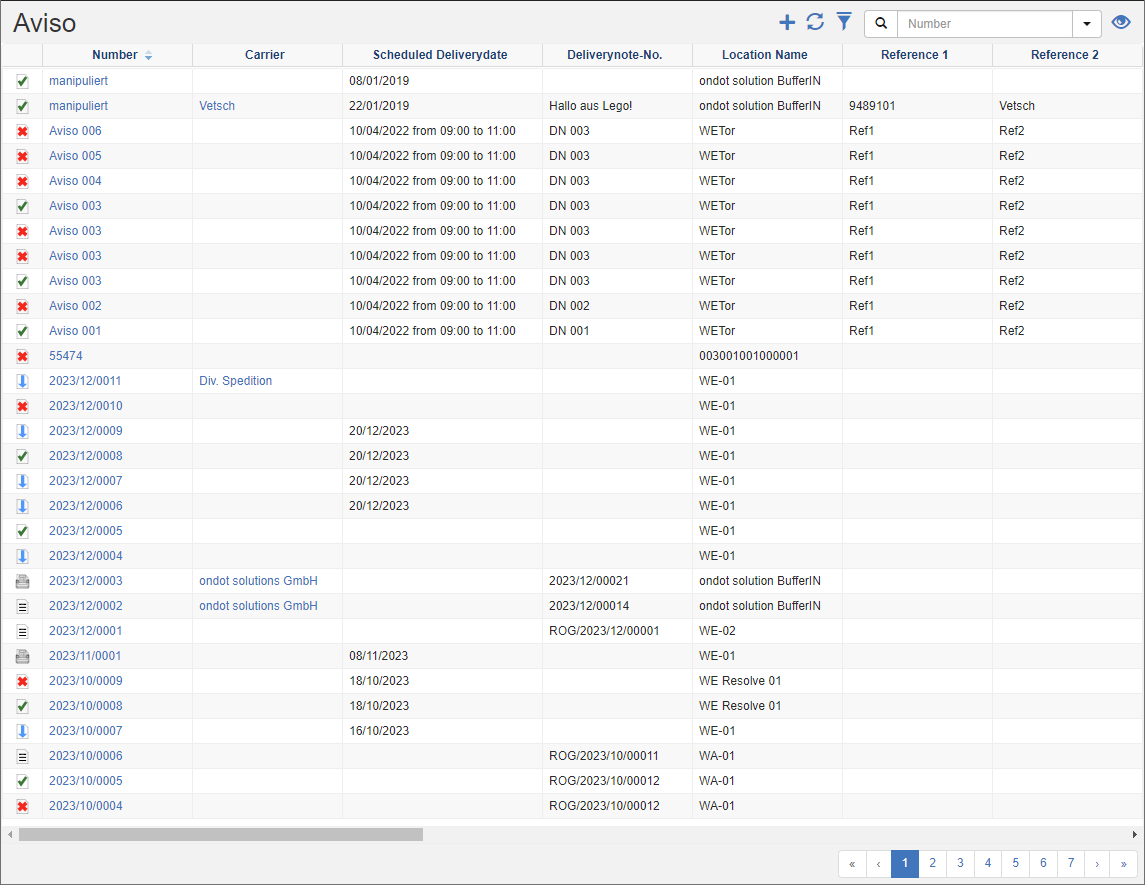
A receiving notification is an essential part of an efficient logistics and warehouse management system, it is the digital image of a delivery note. This tool is designed to ensure the smooth process of receiving goods and allows your company to accurately track stock levels. The incoming goods notification informs about incoming deliveries in advance and allows warehouse employees and logistics managers to prepare for the upcoming deliveries.
In the notification list, you can see the list of all goods receipts whose responsible department corresponds to the transaction data filter.
Tip
Transaction Data Filter: You can see the transaction data of the department to which you are logged in and all those that are under this department in all departments.
See also Transaction Data Filter
Actions in the title bar
Special Promotions
| Symbol | Function | more information |
|---|---|---|
| Create new notification: Create a new goods receipt notification. | Create Alert | |
| Set multistatus: Store current information or forward the selected notifications to the next step. | Set Multistatus |
General List Actions
| Symbol | Function * | more information |
|---|---|---|
| Export: Exports the data to Excel. | Export Data | |
| Update: Updates the current list. | Working with Lists | |
| Filter: Set criteria that limit the number of records in the current list. | Working with Lists | |
 |
Quick Search: Searches the list by the default criterion. | Working with Lists |
| Views: Switch or create views. | Switch Views edit views |
* Attention: Depending on the context, not all actions are always available!