Transport list
Transports in shippingNET are specific tours that start from a starting point and start at several stops and end at a end point. Transportation defines:
- depending on the mode of transport, the means of transport (truck, ship, plane) and the times.
- Depending on the disposition type: incoming or outgoing groupage traffic, trolley transport, main run, full load or outsourcing.
Note
Each shipment has a disposition type.
The following disposition types are distinguished:
Inbound groupage: Shipments received at your depot. Your depot will take care of the forwarding or delivery of the consignments.
Outbound groupage: On these transports, all outgoing shipments are scheduled for each shipping partner. If you work in a network, outbound transports within this network are also handled with this MRP type. The shipments are delivered by the respective shipping partner/network partner.
Rollfuhr: Transports that carry out the distribution of shipments in your delivery and pick-up area based on your route planning.
Main run: Scheduled services between the depots of your network.
Full load: Transports with partial routes are particularly relevant in the partial and full load industry, as the shipments are handled several times and no main runs are necessary, but separately agreed transports. To support this optimally, any number of intermediate stops are inserted with this type.
Outsourcing: All transports that are picked up and delivered by the same shipping partner, the so-called three-point traffic.
The goods carried and the stops to be called at are determined by the colli and delivery addresses of the shipments that have been scheduled on the transport.
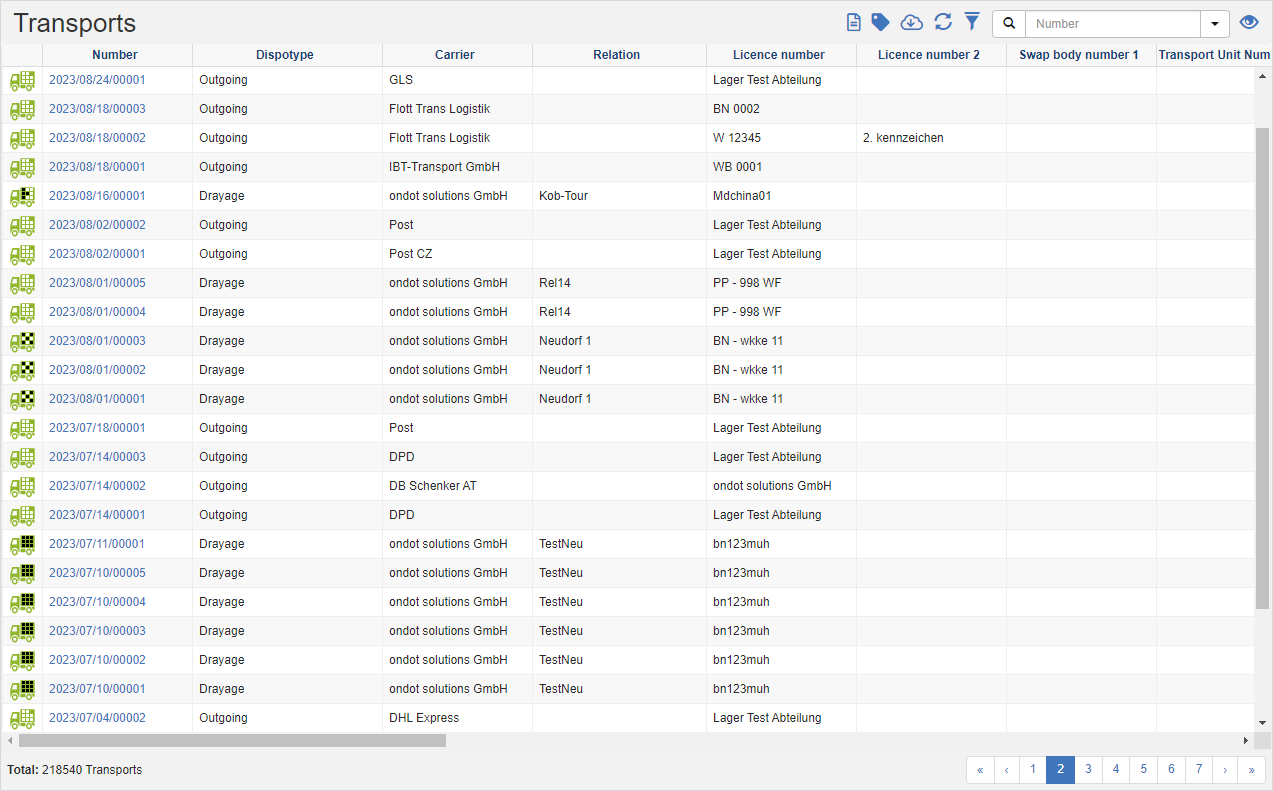
In the transport list, you can see the list of transports, according to the transaction data filter.
Tip
Transaction Data Filter: You can see the transaction data of the department to which you are logged in and all those that are under this department in all departments.
See also Transaction Data Filter
Actions in the title bar
Special Promotions
| Symbol | Function | more information |
|---|---|---|
| Create documents | Create Documents | |
| Set shipment multistatus: Store current information or forward the selected shipments to the next step. | Set Multistatus |
General List Actions
| Symbol | Function * | more information |
|---|---|---|
| Export: Exports the data to Excel. | Export Data | |
| Update: Updates the current list. | Working with Lists | |
| Filter: Set criteria that limit the number of records in the current list. | Working with Lists | |
 |
Quick Search: Searches the list by the default criterion. | Working with Lists |
| Views: Switch or create views. | Switch Views edit views |
* Attention: Depending on the context, not all actions are always available!