Performance assurance
Performance assurance shows the list of all shipments and visualizes whether the shipments have been delivered system-compliant. This feature is especially useful in networks. You can use it to check the delivery performance of your network partners.
Note
The exact definition of whether a shipment has been delivered system-compliant or not depends on the project. Coordinate this feature with your project manager!
The visualization distinguishes between the following states:
delivered on time
not delivered
delivered too late
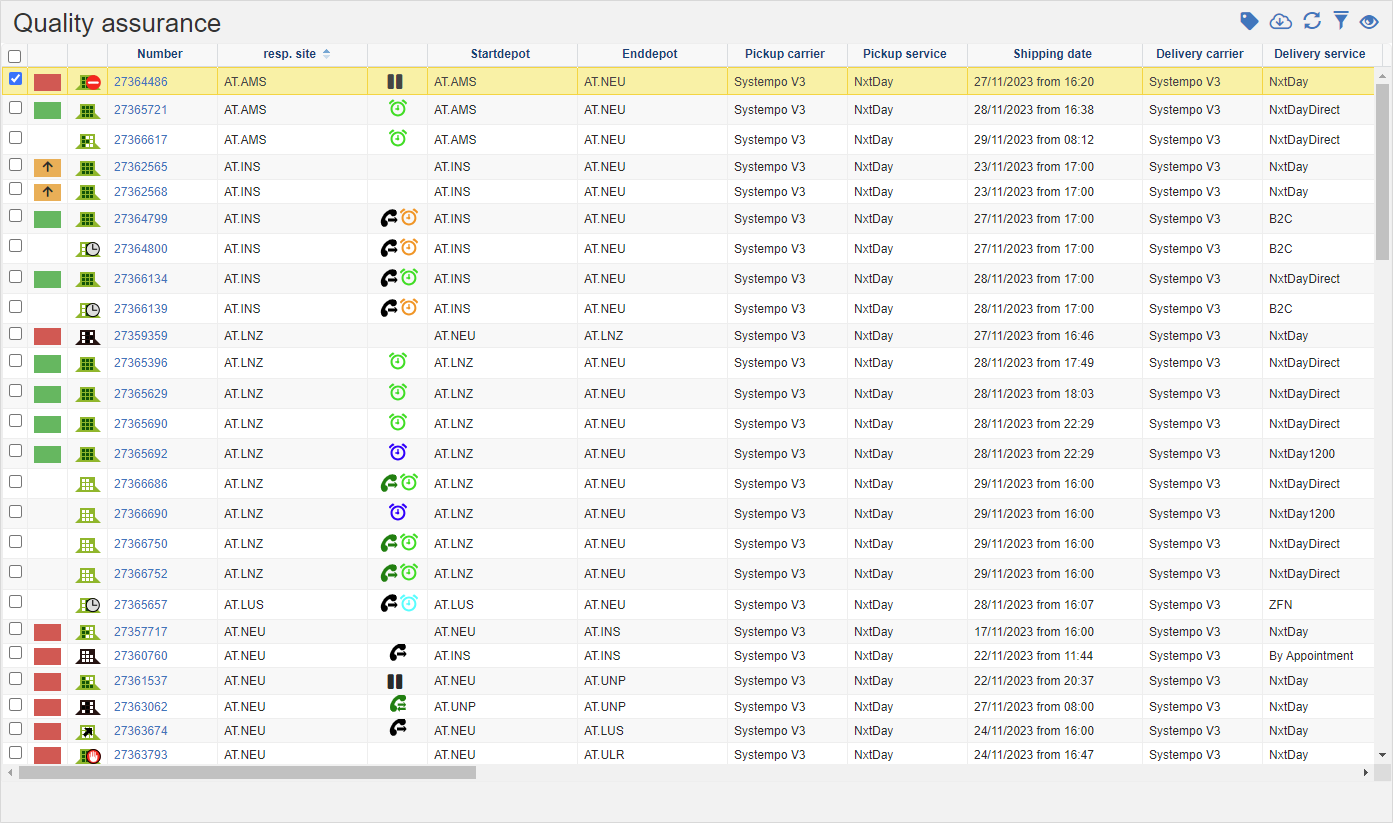
The following functions are available:
Actions in the title bar
Special Promotions
| Symbol | Function | more information |
|---|---|---|
| Set shipment multistatus: Store current information or forward the selected shipments to the next step. | Set Multistatus |
General List Actions
| Symbol | Function * | more information |
|---|---|---|
| Export: Exports the data to Excel. | Export Data | |
| Update: Updates the current list. | Working with Lists | |
| Filter: Set criteria that limit the number of records in the current list. | Working with Lists | |
 |
Quick Search: Searches the list by the default criterion. | Working with Lists |
| Views: Switch or create views. | Switch Views edit views |
* Attention: Depending on the context, not all actions are always available!