Invoice control
With invoice control, you ensure that all documents created are released, sent, exported, and posted.
In contrast to the shipment or transport clearing control, you can see the list of all documents (invoices or credit notes) here, according to the clearing data filter.
Tip
Billing Data Filter: You will see the invoices of your Billing Department and all those that are below the Billing Department in all departments.
The Clearing Department is an indicator of an organizational unit with the characteristic Department in your organizational structure.
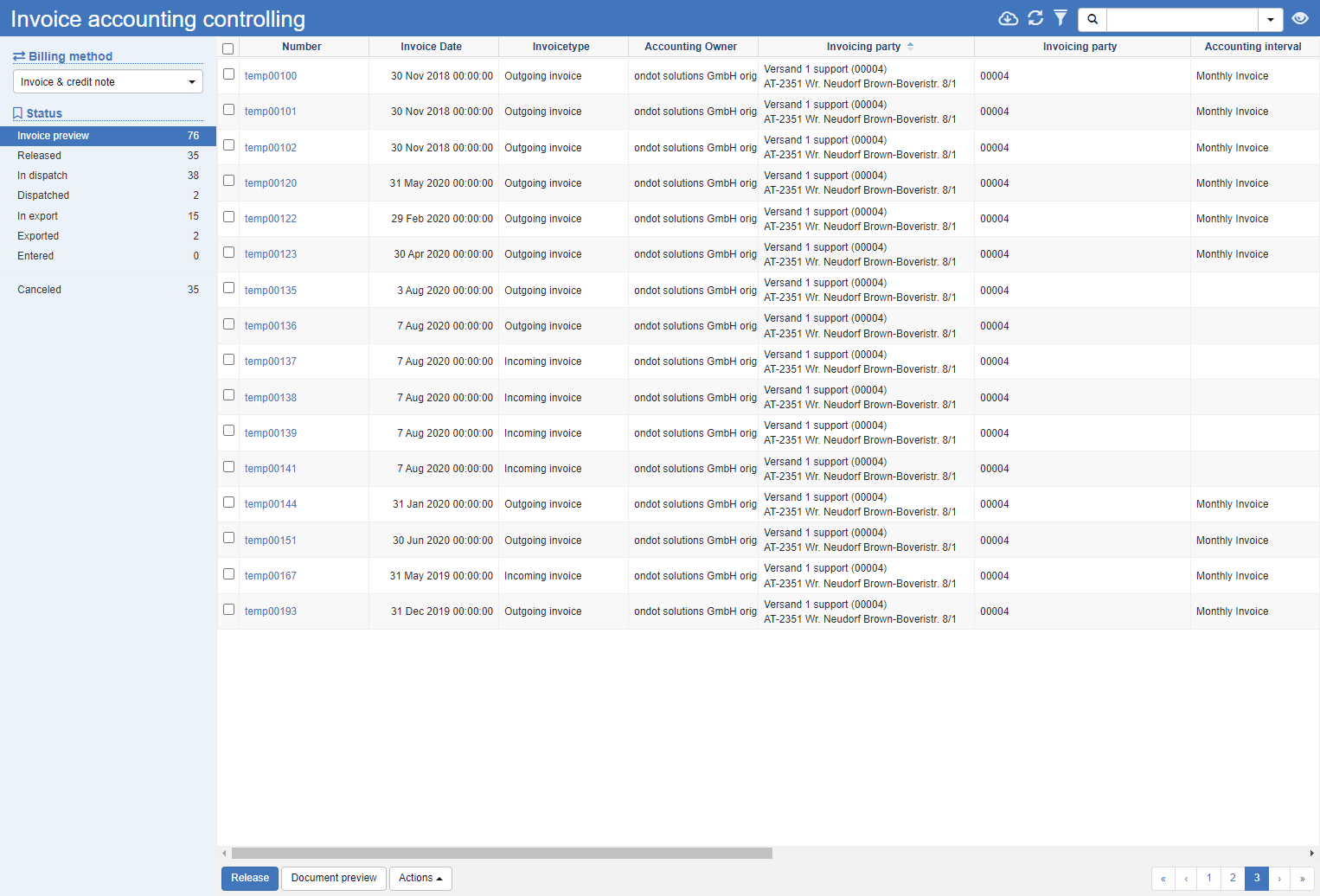
Status Area
The status area to the left of the list of invoices gives you a quick overview of the current status of each invoice.
Filter
Filter by billing method to see only invoices or credit notes.
Status
In the Status section, you can see the individual status of the invoices and the number of documents that are in this status. Depending on the status, corresponding actions are available below the list:
| Status | Description | Actions |
|---|---|---|
| Invoice Preview | Shows all invoices that have not yet been released. Check the invoice characteristics and the amounts calculated. | Share Document Preview Immediate shipment Recalculation Change invoice date Delete |
| Released | Displays all approved invoices | Send Invoice |
| Shipping Processing | Displays all invoices that are waiting to be shipped | |
| shipped | Shows all invoices sent | Export Repeat Send |
| Export processing | Displays all invoices that are waiting to be exported | |
| Exported | Displays all exported invoices. | |
| Booked | Displays all posted invoices. | |
| Cancelled | Displays all cancelled invoices. |
Actions:
Release: Releases the selected invoices and moves them to the next state.
Document preview: Opens the invoice document in the document preview.
Send invoice: Opens the invoice dispatch dialog. Choose whether you want the selected receipts to be printed and sent by post or email. The selection can also be done automatically.
Export or Export List: Exported sets the status RXP for all selected invoices. The Export List button sets the status for all invoices that are selected with the current filter.
Repeat Shipping: Repeats the shipping process, see also above Send Invoice.
General List Actions
| Symbol | Function * | more information |
|---|---|---|
| Export: Exports the data to Excel. | Export Data | |
| Update: Updates the current list. | Working with Lists | |
| Filter: Set criteria that limit the number of records in the current list. | Working with Lists | |
 |
Quick Search: Searches the list by the default criterion. | Working with Lists |
| Views: Switch or create views. | Switch Views edit views |
* Attention: Depending on the context, not all actions are always available!