Drive Command Editor
Driving commands control the flow of goods in your warehouse. Every transport of goods is mapped with driving commands. A drive order thus represents an order to transport goods from a source storage location to a destination storage location.
Driving commands are generated for each collo during goods takeover so that the goods are transported from the goods receipt gate to the final destination storage location.
Analogous to the goods receipt, in the course of the release of the pick lists, travel commands are generated in the course of releasing the pick lists, which direct the goods from the storage bins to the destination location.
There are different types of driving commands:
- Store items
- Store Collo
- Relocate items
- Collo formation for restorage
- Relocate Collo
- Relocate quality collo
- Outsource items
- Outsource Collo
- Inventory count
- Sort items
- Work instructions
Note
The main difference between article and collo driving commands is that in collo driving orders the entire collo is transported from a source location to a destination location, while in article driving orders the quantity requested in the drive order is taken from a source collo on a source location and transferred to a destination collo on a destination location. In order picking, the target collo is the picking load carrier.
View/create driving command
The main purpose of the drive command editor is to display the details of the drive command. Driving commands are typically created automatically in the respective processes. See also the introduction to this article.
You can create special driving commands, such as stock transfers or work instructions, directly in the drive command editor.
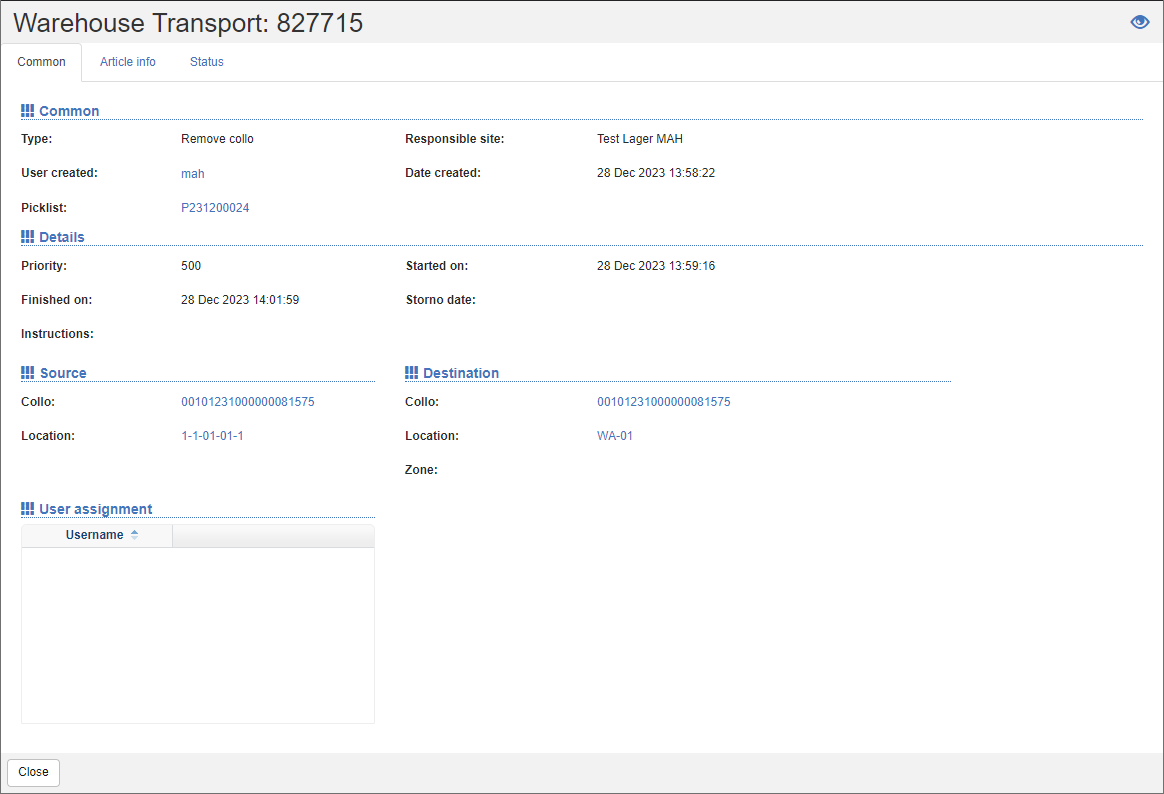
On the General Map you will find the basic information such as Type, Responsible Department, Created by and Creation Date. In the details, you can see the priority and process information, such as the start and end time as well as special instructions. The areas Source and Destination indicate the Source Location and the Source Collo or the Destination Location and the Destination Collo. Under User Assignment, you can see the list of users to whom the drive command has been exclusively assigned. On the Item Info card, you can see the target and actual values of the quantity and the item properties.
Status
You can manage status information related to the drive command on the Status card.
A driving order can get the following current statuses:
| Symbol | Code | Description | Final |
|---|---|---|---|
 |
IMP | Imported into shippingNET | |
 |
MAN | Manually created in shippingNET | |
 |
STD | Launched | |
 |
PIC | Picked | |
 |
HLT | Stop | |
 |
CMP | Completed | ✔️ |
 |
STO | Cancelled | ✔️ |
 |
ERR | Error |