Loading equipment management
In the loading equipment management you can see the loading equipment accounts of all exchange parties including their current loading equipment levels per loading equipment accounting department.
Note
Account balances should not be confused with the physical holdings of loading equipment.
The following set of rules applies:
- Negative Amounts: The Loading Equipment Accounting Department is in debt to the Exchange Party. e.g. a Euro pallet was picked up and not exchanged in the course of collection.
- Positive Amounts: The Loading Equipment Accounting Department has a balance with the Exchange Party. e.g. a Euro pallet was delivered and not exchanged in the course of delivery.
Ideally, one tries to keep the loading media levels as low as possible and to constantly compare them with the parties.
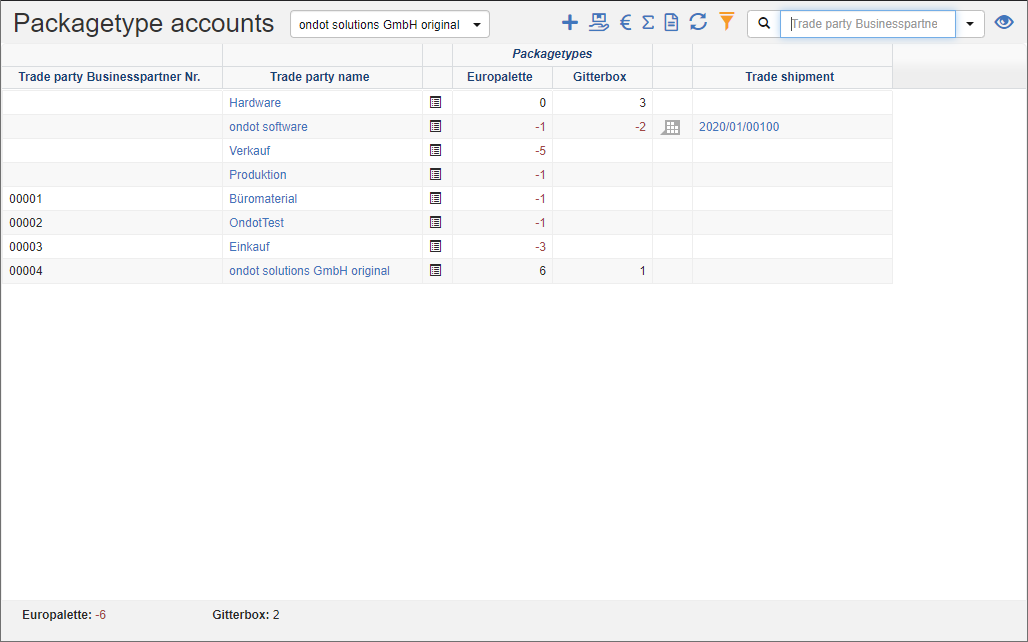
In the totals line, you will find the loading equipment status for the entire loading equipment accounting department.
Actions in the title bar
If there are multiple loading equipment accounting departments in your organization, you can select the desired department in the title bar.
Special Promotions
| Symbol | Function | more information |
|---|---|---|
| Add loading equipment exchange: Enter a loading equipment exchange. | Add Loading Equipment Exchange | |
| Create Loading Equipment Exchange Shipment: Enter a loading equipment exchange shipment to balance the account balance. You can record both pickups and deliveries. | ||
| Add invoicing: Enter an invoice to settle debts with a party. This action can only be used to settle debts. | ||
| Add Balance Posting: Create a balance to close a period cleanly. You can reset a balance postings in the Loading Equipment Posting List. | ||
| Create a bank statement: Create a bank statement to reconcile the account balance. |
General List Actions
| Symbol | Function * | more information |
|---|---|---|
| Export: Exports the data to Excel. | Export Data | |
| Update: Updates the current list. | Working with Lists | |
| Filter: Set criteria that limit the number of records in the current list. | Working with Lists | |
 |
Quick Search: Searches the list by the default criterion. | Working with Lists |
| Views: Switch or create views. | Switch Views edit views |
* Attention: Depending on the context, not all actions are always available!
Loading equipment booking list
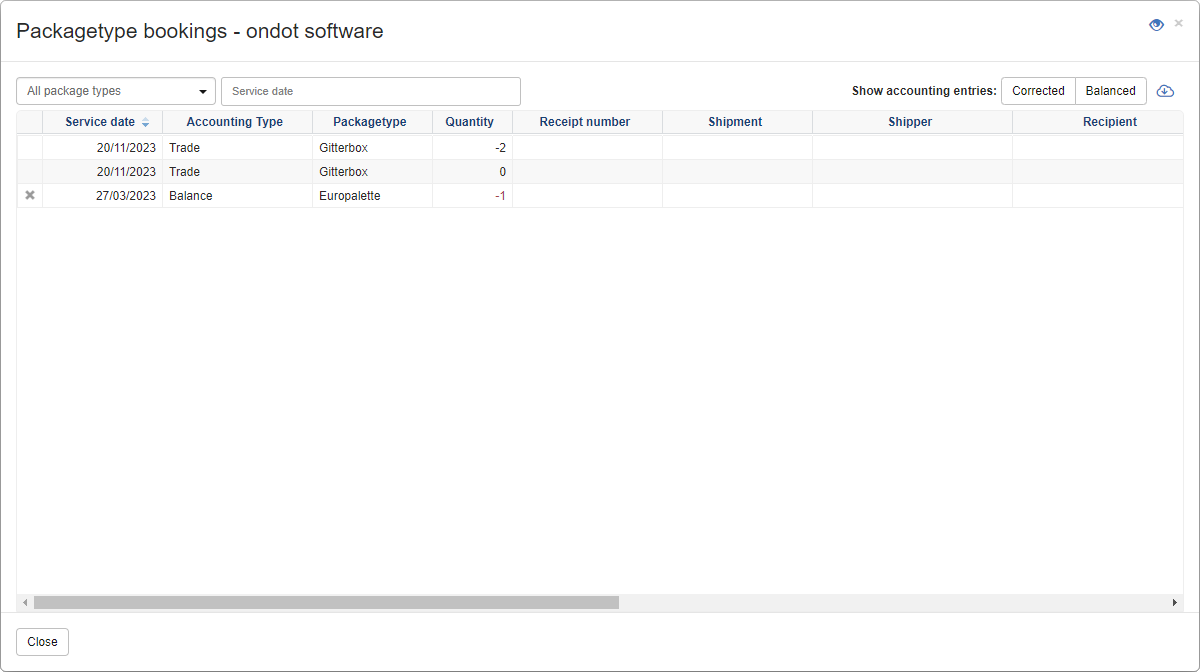
In the loading equipment posting list, the history of a previously selected exchange party is displayed.
The list can be filtered to a specific loading device and/or date range. In addition, corrected and/or netted postings can be displayed.
You can use the action Export to export the data to Excel.
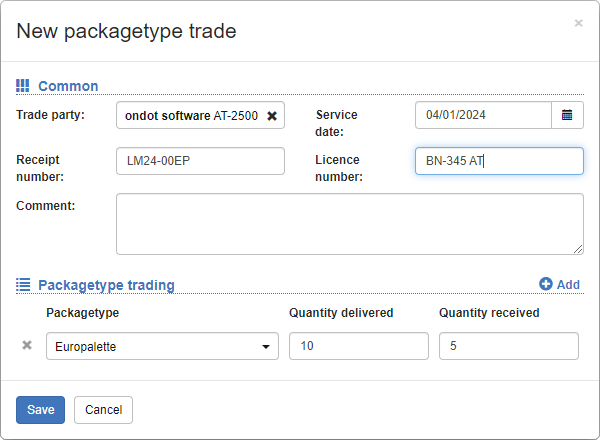
Add loading equipment exchange
- In the title action bar, click on the action Add loading equipment exchange.
- Select the swap party.
- Add optional information, such as document number.
- Record the exchanged loading equipment.
- Click Save.