Shipping station
At the shipping station, you can easily and conveniently create shipments and the associated packages. The shipping station supports you with useful quick entry functions. For each Colli added, the corresponding label is immediately printed, which they apply to the packages step by step.
The shipping station was developed primarily for use in a hall at a packing table. It helps you quickly add missing collodata to existing shipments.
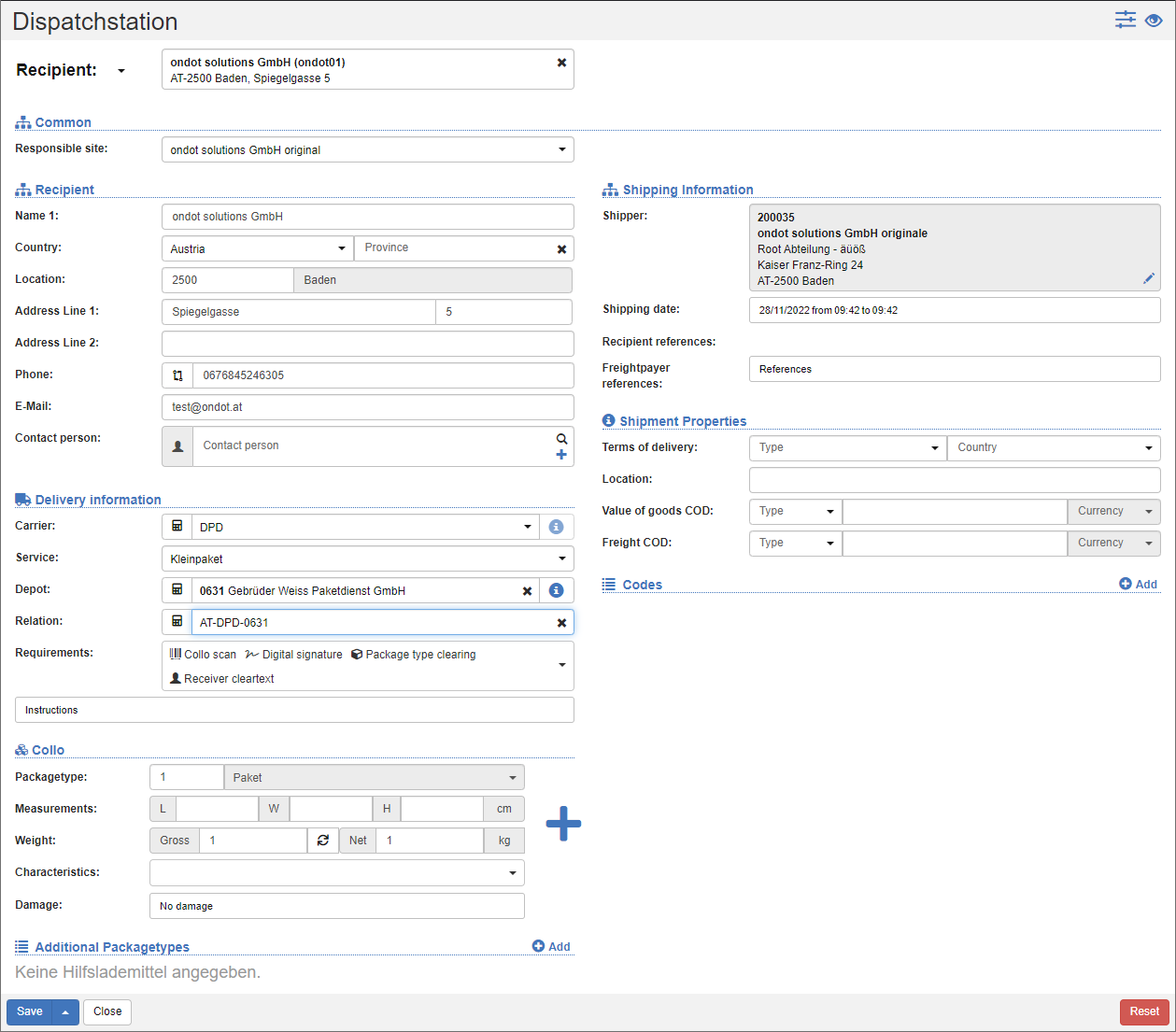
Quick Capture Functions
To the left of the first input field, set the desired function:
- Recipient number: Searches for the business partner number for all organizations in the system and fills in the recipient data.
- Recipients: Searches for the default search criteria for organizational units and populates the recipient data.
- Tracking number: Searches for the tracking number of an existing shipment and fills in all the data of the shipping station.
- Contact Person: Searches for people in the list of users and fills in the Contact person.
- Predefined data sources: If shipment header data (sender, recipient, carrier information, etc.) already exists in another system (e.g. another DB), then they can be loaded directly into the shipping station.
Tip
To use this feature, please contact your project manager as a few setups are required to run smoothly.
The action Add another colli prints the transport label of the colli that has already been captured and resets the collo data for the collection of further collis. All colli will be added to the same shipment.
For more information about the Shipping Station fields, see Shipment Fields.
Actions in the Action Bar
Save: Saves the show and the collo. The transport label is printed for the Collo. The mask will then be reset.
Save and add collo: Saves the show and the collo. The transport label is printed for the Collo. The collo data will be reset, the shipment data will be retained.
Save and keep collo data: Saves the show and the collo. The transport label is printed for the Collo. All data is retained. In this way, you can quickly enter many colli with similar data about the shipment.
Reset: Resets all input fields.