Status Review
The status review shows the list of all statuses that have not been recorded by the responsible department and therefore a confirmation must be obtained. First and foremost, the changes concern billing-relevant data (dimensions, weights, etc.) or scheduling changes. Depending on the configuration, you can accept or reject the changes you make. If entries in the list are not processed within a certain period of time, this is considered an implicit acknowledgement. This will automatically accept the change.
Note
This feature is especially useful in networks. You can use it to check whether the changes from the subsequent system traffic depots are justified.
The list displays the statuses of the associated objects (collo or shipment) whose responsible department corresponds to the transaction data filter.
Tip
Transaction Data Filter: You can see the transaction data of the department to which you are logged in and all those that are under this department in all departments.
See also Transaction Data Filter
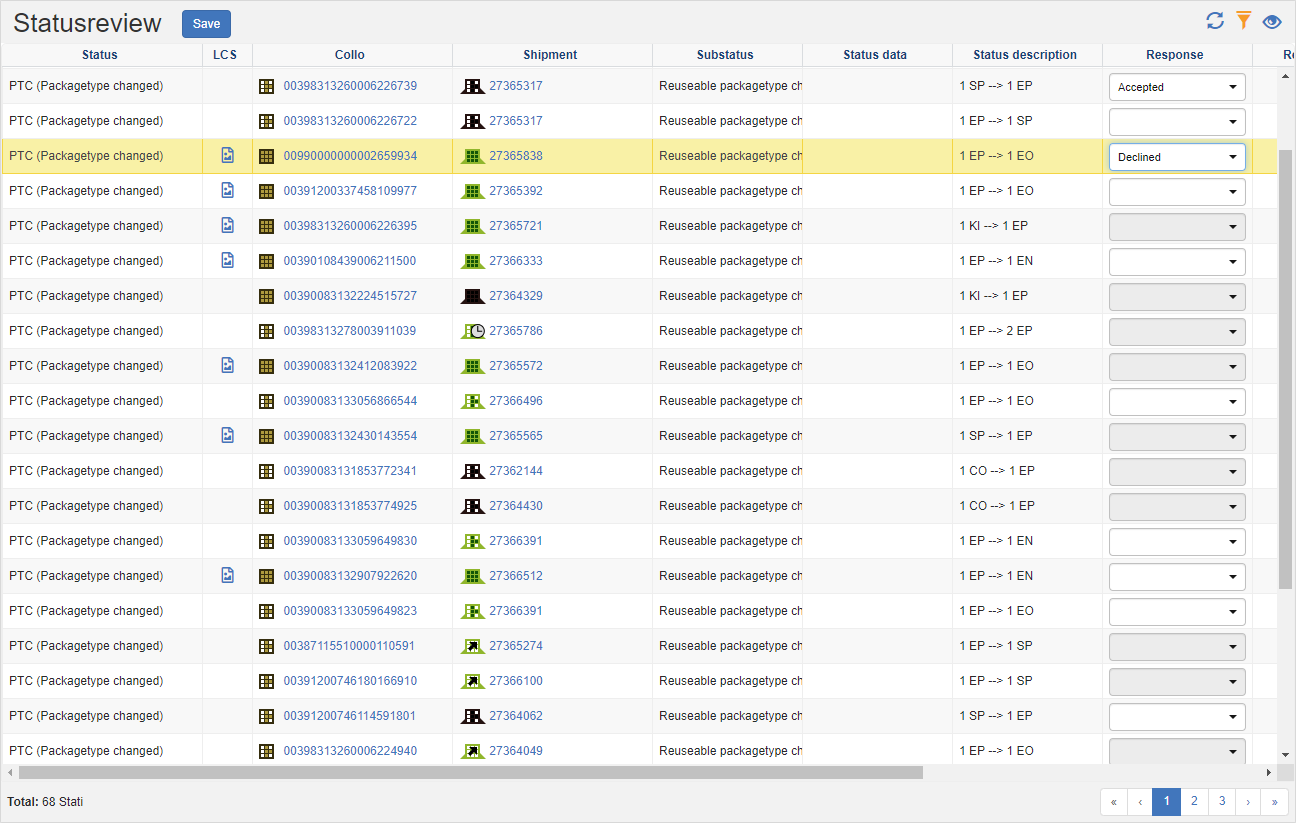
The following functions are available:
Function
Select your decision from the list in the Answer column.
In the Title Action Bar, click on the Save action.
If you accept the change, the changed data will remain unchanged. However, if you reject the changes, the data will be reverted to its previous state.