Compacting the colli
Use the Compress Colli function to combine different Colli into a single package. This process can also be performed across shipments.
There are two benefits to this process:
When handing over the shipment to a carrier, you can save costs because the number of colli decreases, which usually leads to a cheaper freight rate.
Your internal processes become leaner. Delivery by a fleet of in-house vehicles, for example, is simplified by only requiring a scan of a single collo.
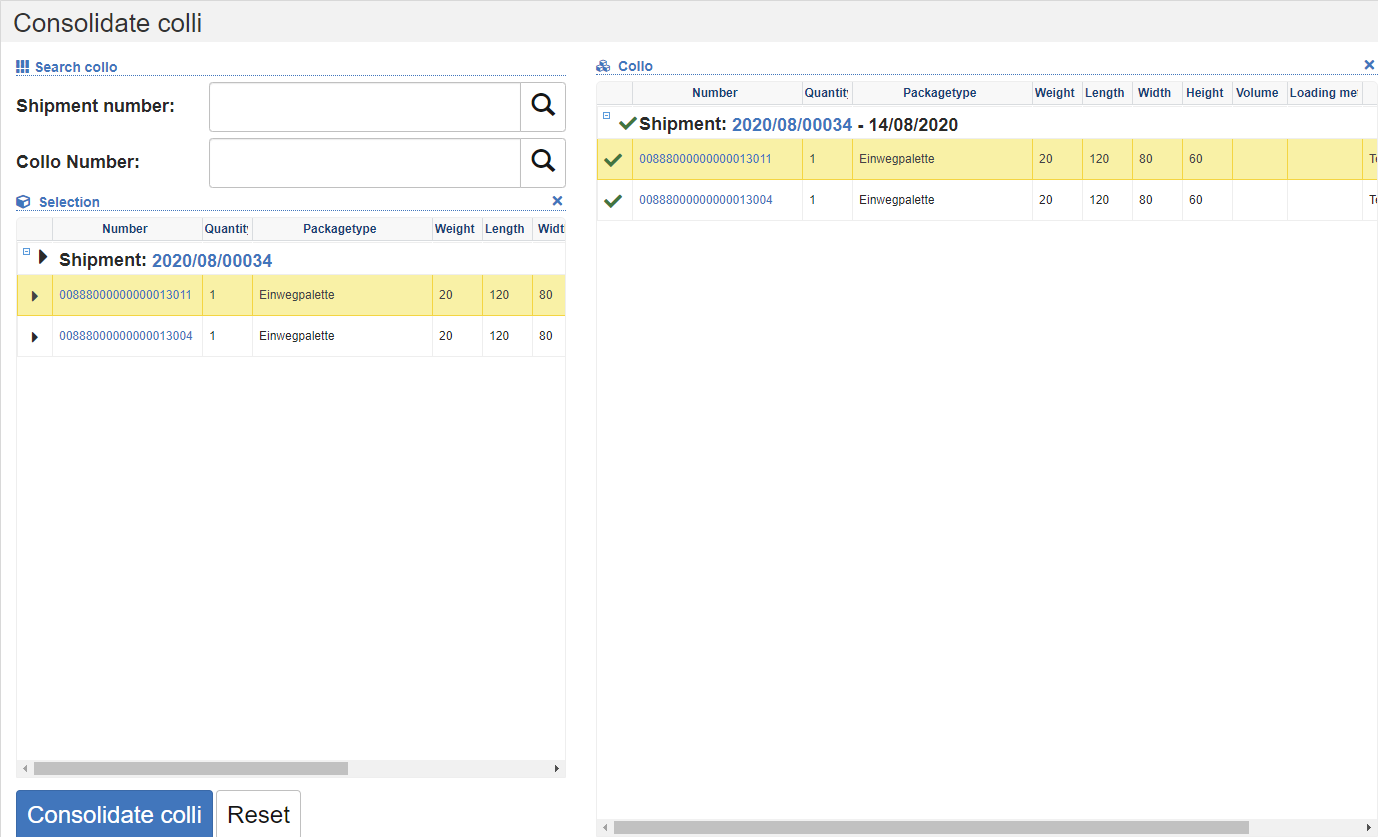
Compaction process
In the Find Collo section, enter the tracking number or collo number. You can also scan the numbers. The system will show you the corresponding colli in the Collo area on the right. If there are other matching shipments that have the same key characteristics as addresses and carrier information and are not completed or cancelled, they will also be displayed in the Collo section.
Click on the arrow symbols of the colli to add them to the selection to the left.
Once you have selected all the collis, click on the Compress Colli action.
Then enter the tracking number in the dialog.
Select one of the previously selected colli or create a new package in the New Collo tab.
In the dialog, click on the Compact action.
Through this process, the selected colli will be linked to the target collo as a sub-collide. If the shipments come from different shipments and one shipment no longer has a Colli as a result, this shipment will be canceled.