GDPR
shippingNET supports you with GDPR issues.
Addresses & personal data are managed and stored in a central plce within shippingNET. You can search for companies and people in the GDPR information. To do this, enter either the customer number or part of the name in the Customer field and then click Search.
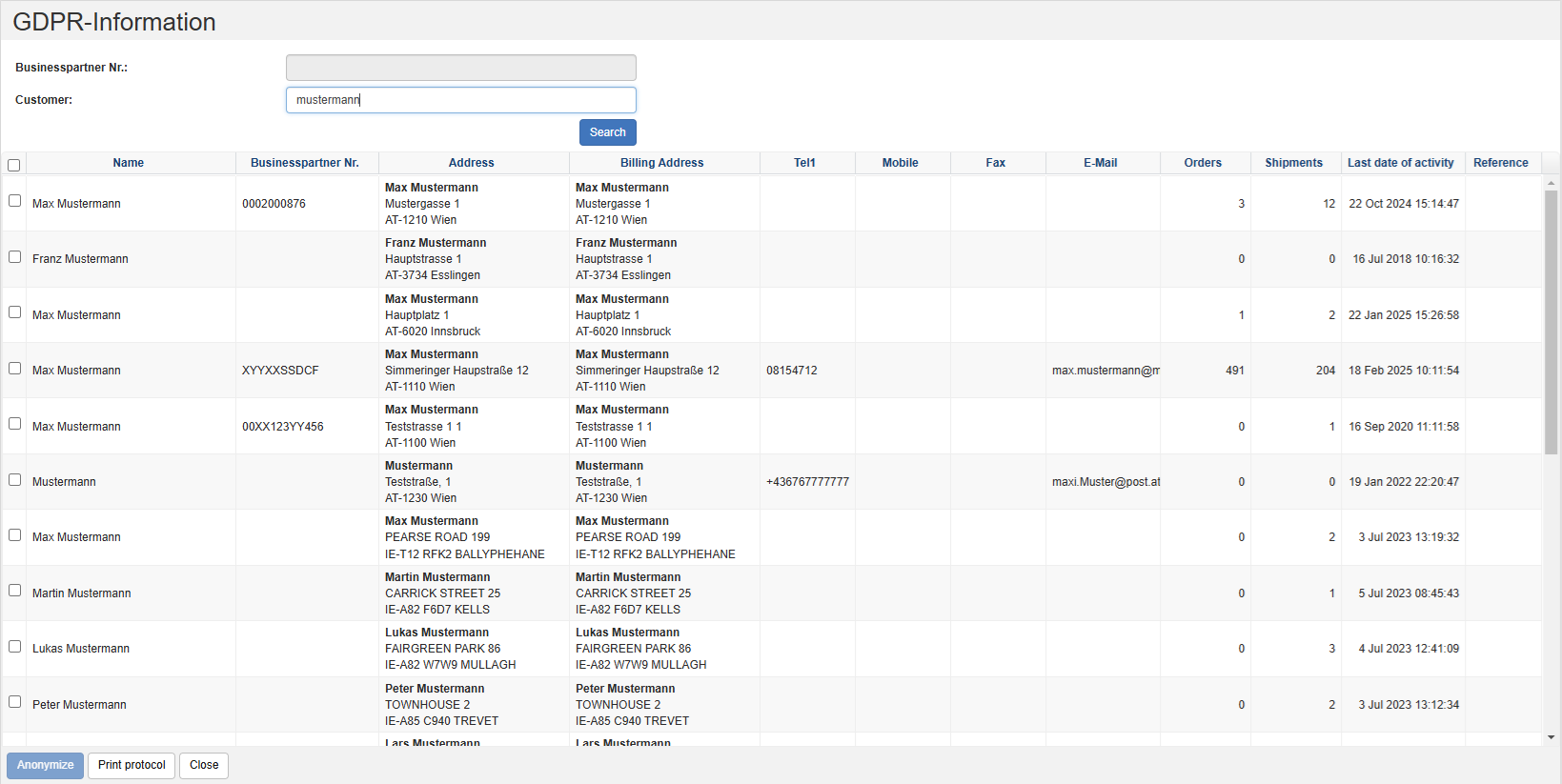
You will now see a list of all the addresses that match the criteria you entered earlier. In addition to the address data, you will see the last activity for this address.
Print protocol
- In the list of results, select the records for which you want to print a DGVO protocol. To select multiple records, hold down the CTRL key.
- Click the Print Log action in the Action Bar.
- You will receive the PDF document Information according to the General Data Protection Regulation with a list of orders and shipments. One new page is created per record.
Anonymize data
- In the list of results, select the records you want to anonymize. To select multiple records, hold down the CTRL key.
- Click on the Anonymize action in the Action bar.
- Confirm the security prompt again by clicking on the Anonymize action.
- The selected address data will be irrevocably overwritten by the string XXXXX.
Warning
ATTENTION: This action will irrevocably overwrite the records. This action is non-reversible!
Which fields will be anonymized?
The following fields will be anonymized:
Organizational unit***:
- Name
- VATID
Address***:
- Name1
- Name2
- Name3
- Name4
- Tel1
- Tel2
- Latitude
- Longitude
Note
Additional fields for anonymization can be activated via the configuration DataProtection.AdditionalAnonymizeFields. Please contact your project manager for more information.
Automatic anonymization
You can configure shippingNET in such a way that address data is automatically anonymized after a certain period of inactivity.
Note
For further assistance with automatic anonymization, please contact your project manager.